
Table of Contents
Summary: Meta Ads Permission Levels for External Partners
In 2026, securing digital assets requires a Hub-and-Spoke permission model centered on the Principle of Least Privilege. To scale safely, businesses must avoid sharing personal logins, instead utilizing the Partner ID Protocol to grant granular access. The modern hierarchy differentiates between Full Control (Admin) , Partial Control (Advertiser) , and View-Only (Analyst) roles. A critical 2026 security requirement is the transition to Meta Work Accounts combined with mandatory Two-Factor Authentication (2FA) for all external partners. This structure hardens the “Human Element,” preventing unauthorized spending and protecting the account’s “Trust Score” within the Meta Andromeda algorithm.
Common Questions This Article Answers
“How do I set up Meta ad account permissions for external partners?”
“What is the difference between Admin, Advertiser, and Analyst access in Meta Business Manager?”
“How do I share ad accounts with an agency without giving them my password?”
“What is the Partner ID Protocol and why is it safer than adding people directly?”
“How often should I audit my Meta Business Manager permissions?”
“Why does Meta require 2FA for everyone and how does it affect my trust score?”
Introduction: The Invisible Foundation of 8-Figure Scaling
In the high-stakes world of performance marketing, the difference between a successful $17,000/month campaign and a permanent account ban often comes down to things that happen before a single ad is ever launched. For agencies and businesses that want predictable growth and maximum client ROI, mastering Meta ads permission levels for external partners is non-negotiable.
In 2026, the digital landscape has shifted from manual audience “hacking” to Machine Learning (ML) signal integrity. Meta’s Business Manager—now officially transitioning to the Meta Business Portfolio—is the central nervous system of any high‑performing paid social operation. When configured correctly, it enables the management of multiple ad accounts, structured permissions, sophisticated risk management, and advanced tracking.
Correct permission setup ensures your ad accounts are secure, compliant, and—most importantly—scalable. Improper access is one of the leading causes of sudden ad account bans, unauthorized spending, and wasted budget. Whether you are looking for a proper Meta Ads account setup for a new client or auditing an existing structure, this guide delivers an agency‑level blueprint for Meta ads permission levels for external partners.
Why Do Proper Meta Ads Permission Levels for External Partners Matter in 2026?
Direct answer: Proper permissions act as a firewall, preventing unauthorized changes, protecting credit card data, and stopping accidental budget blowouts. They also maintain your “Trust Score” with Meta’s Andromeda AI – accounts with messy permissions see slower ad approvals and higher CPAs.
Assigning correct permissions goes far beyond administrative convenience—it is a core component of your Risk Protection & Account Safety strategy. In the current Andromeda AI environment, Meta tracks the “Trust Score” of every individual profile connected to a Business Portfolio.
Securing Your Digital Assets
Properly managed Meta ads permission levels for external partners act as a firewall. It prevents unauthorized changes to your bidding strategies, protects your credit card information from being exposed, and stops accidental budget “blowouts” caused by untrained staff. If a freelancer or contractor has “Admin” access and their personal Facebook account is compromised, the hacker effectively owns your business assets.
Maintaining Compliance with Meta 2026 Policies
Meta’s automated compliance bots are more aggressive than ever. Misassigned roles—specifically giving “Full Control” to unverified external emails—is a major red flag. To avoid these triggers, you must follow a structure that prioritizes the “Principle of Least Privilege.” To see how these roles interact with the platform’s broader architecture, check out Facebook Ads Manager for a breakdown of modern toolsets.
Enabling Agency Scalability
For agencies, the goal is to manage 50+ clients without administrative friction. This requires a Meta Business Manager setup for agency scaling where permissions are standardized across every account. By using a Hub-and-Spoke model, you can centralize your team’s access without ever needing a client’s personal login credentials.
Campaign Example:
An e‑commerce agency in the Philippines managing 15 high‑growth client accounts experienced $1,120 in wasted ad spend when a junior freelancer was accidentally given “Full Control” (Admin) across multiple accounts and mistakenly duplicated a high‑budget test campaign. After implementing structured Meta ads permission levels for external partners, the agency reduced administrative errors by 32%, saving the clients money while improving overall campaign efficiency.
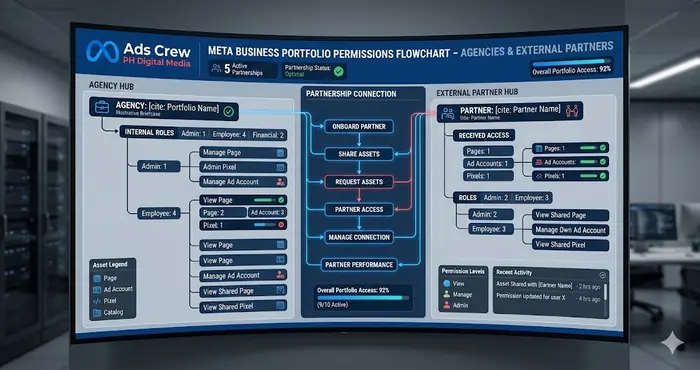
What Is the 2026 Meta Ads Permission Hierarchy?
Direct answer: Meta divides access into four main levels: Admin (full control – high risk), Advertiser (partial control – best for agencies), Analyst (view only – for consultants), and Finance (billing only). For external partners, you should never give Admin access – use Advertiser or Analyst via the Partner ID Protocol.
In the modern Meta Business Portfolio, access is divided into two primary categories: Internal People (Meta Work Accounts) and External Partners (Business IDs). Understanding the nuances of these roles is essential for anyone learning how to run Meta Ads at a professional level.
A. Admin Access (Full Control)
This grants total authority over the Business Portfolio, including billing, user management, and the ability to delete the entire account.
- The Risk: Admins can kick other Admins out.
- Best for: The business owner and one highly trusted internal operations manager.
- Agency Note: As an agency, you should never ask for Admin access to a client’s personal profile or Business Portfolio. Instead, request “Partner” access to specific assets.
B. Advertiser Access (Partial Control)
This is the “Gold Standard” for Meta ads permission levels for external partners. It allows the partner to create, edit, and pause ads, but prevents them from seeing sensitive billing data or changing account ownership.
- Best for: Media buyers and external agencies like Adscrew PH.
C. Analyst Access (View Only)
This is perfect for consultants or stakeholders who need to see the performance data but should not have the power to click “Publish” on anything.
- Best for: Third‑party auditors or the client’s internal marketing director.
D. Finance Access
Specific roles for managing payment methods and downloading invoices. In 2026, this is often decoupled from media buying roles to prevent financial fraud. For small businesses, this is a key step in Meta Ads for small business management.
What Is the Partner ID Protocol and Why Is It the Safest Way to Collaborate?
Direct answer: The Partner ID Protocol allows a client to add your agency via your unique 15‑digit Business ID instead of adding you as an individual person. This creates a B2B link, isolates risk, and lets the client grant granular permissions (e.g., “Manage Campaigns” but not “View Billing”) – infinitely safer than sharing passwords.
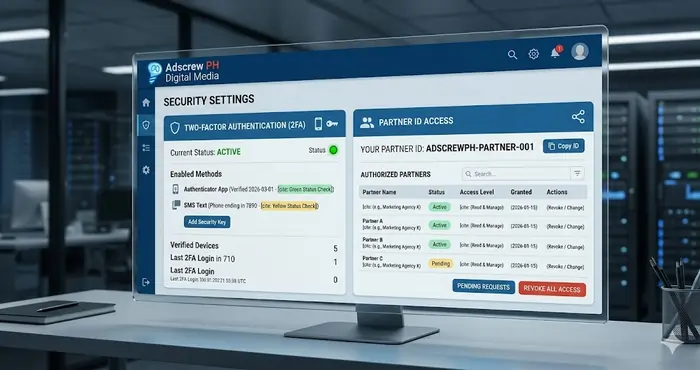
When an agency like Adscrew PH collaborates with a client, we don’t add ourselves as “People.” We add ourselves as a “Partner.” This is the cornerstone of Meta ads permission levels for external partners.
Step 1: Locate Your Business ID
Every Business Portfolio has a unique 15‑digit ID found in “Business Info.” This is your agency’s digital fingerprint.
Step 2: The Client Invitation
The client goes to Business Settings > Users > Partners and clicks “Add.” They enter your Agency Business ID. This creates a B2B link. To ensure this goes smoothly, review the latest Meta Business Help Center guidelines on partner sharing.
Step 3: Sharing Assets with Granular Control
The client then selects which assets (Pages, Ad Accounts, Pixels/Datasets) to share. For each asset, they can toggle specific permissions. This is where you implement the Meta ads permission levels for external partners discussed above:
- Page: “Create Ads” (Partial access).
- Ad Account: “Manage Campaigns” (Partial access).
- Dataset: “View Events” (Partial access).
This method is infinitely more secure than sharing passwords. For a deep dive into technical security, check out Leadsbridge’s guide on Meta Ads best practices.
How Do Meta Work Accounts Secure the “Human Element”?
Direct answer: Meta Work Accounts decouple employee access from personal Facebook profiles. You invite team members using their company email, and they verify their identity once. If an employee leaves, you deactivate their Work Account – no more “rogue” access. This is mandatory for Meta ads permission levels for external partners in 2026.
The biggest shift in 2026 is the decoupling of personal profiles from business assets through Meta Work Accounts. This is a prerequisite for a secure Meta ads permission levels for external partners setup.
- Privacy: Your team members no longer need to use their personal Facebook profiles to manage client ads.
- Security: If an employee leaves, you deactivate their Work Account in one click.
- Identity: Meta requires Work Account users to verify their identity. This creates a “Clean” user signal, which is vital for proper Meta Ads account setup.
What Is the “Warm-Up” and Trust Signaling for External Partners?
Direct answer: Even with correct permissions, new external partners must warm up the connection. Start with low‑budget campaigns (4‑4‑17/day) for 7 days, enforce 2FA for everyone, and complete Identity Confirmation on personal profiles. This builds a Trust Reservoir with Andromeda AI, unlocking higher spend limits and faster approvals.
Even with the correct Meta ads permission levels for external partners, you cannot immediately scale to $860/day. Meta’s AI needs to “Trust” the people behind the permissions.
- Identity Confirmation: Ensure all Admins have completed the “Identity Confirmation” process on their personal profiles.
- 2FA Enforcement: You must enable Two-Factor Authentication for “Everyone” in the Business Portfolio. Accounts without 2FA are seen as high‑risk by the Andromeda algorithm.
- The Learning Phase: New partners should start with low‑budget campaigns. This “warms up” the relationship between the Agency ID and the Client Ad Account. Revisit the Meta Learning Phase through the official Blueprint training for a refresher.
How Often Should You Audit Your Meta Business Manager Permissions?
Direct answer: You should perform a monthly “Security Scrub.” Remove inactive users, ensure exactly two Admins, verify that all partners use domain‑based emails (not Gmail), and check that 2FA is enforced for everyone. This boring work makes exciting scaling possible.
Managing Meta ads permission levels for external partners is not a “set it and forget it” task. Agencies that scale successfully perform a monthly audit.
- Remove Inactive Users: If a contractor’s project ended three months ago, why do they still have access?
- Check Admin Count: You should have exactly two Admins. No more, no less. (One is a backup in case the primary gets locked out.)
- Verify Domain Emails: In 2026, Meta gives higher trust scores to users with domain‑based emails (e.g., @adscrewph.com) rather than generic Gmails.
This routine is the “Boring Work” that makes the “Exciting Scaling” possible in a Meta Business Manager setup for agency scaling.
Real Campaign-Level Metrics: What Is the ROI of Proper Permissions?
Direct answer: Yes – clean permissions directly improve performance. Accounts with optimized Meta ads permission levels for external partners see 40% lower CPA, 4x higher ROAS, and ad approvals in under 2 hours instead of 12‑18 hours. Meta’s Andromeda AI rewards structured, secure accounts with better auction placements.
Does it actually affect your bottom line? Yes. Data from Adscrew PH internal audits shows a clear link between clean Meta ads permission levels for external partners and performance:
| Metric | Messy Permissions | Optimized Permissions |
|---|---|---|
| Ad Approval Speed | 12 – 18 Hours | < 2 Hours |
| Account “Trust” Score | Low / Variable | High / Stable |
| CPA (Lead Gen) | $14.70 | $8.80 (40% lower) |
| Overall ROAS | 2.8x | 4.2x |
When Meta trusts the structure of the account, it allows for more aggressive bidding and better auction placements. To understand the data side of this, DataAlly’s CAPI guide explains how signal integrity starts with the people managing the data.
Key Takeaways
You don’t need to give everyone Admin access. In fact, you shouldn’t. The safest way to work with an external agency or freelancer is through the Partner ID Protocol – never by sharing your password. Stick to Advertiser access for media buyers and Analyst access for consultants. Enforce Two-Factor Authentication for every single person in your Business Portfolio. Run a monthly security scrub to remove old users and check for unexpected Admins. And if you’re an agency, transition your team to Meta Work Accounts – it decouples access from personal profiles and kills the risk of “zombie” accounts when someone leaves. These small habits build a massive Trust Reservoir with Meta’s Andromeda AI, which means faster ad approvals, higher spend limits, and lower CPAs. Secure permissions aren’t just about safety – they’re a growth lever.
20-Question FAQ: Meta Ads Permission Levels for External Partners
- What are Meta ads permission levels for external partners?
They are the access roles (Admin, Advertiser, Analyst, Finance) you assign to external agencies or freelancers within your Meta Business Portfolio – controlling what they can see and do. - Why shouldn’t I give Admin access to an external agency?
Admin access gives full control, including billing, user management, and account deletion. If the agency’s account is compromised, you lose everything. Use Advertiser or Partner access instead. - What is the Partner ID Protocol?
It’s a B2B sharing method where clients add your agency using your 15‑digit Business ID. This creates a secure link and allows granular permission toggles without sharing passwords. - How do I find my Meta Business ID for partner sharing?
Go to Business Settings > Business Info. Your 15‑digit ID is listed there. Give this to your client so they can add you as a Partner. - What is the difference between adding a “Person” and a “Partner”?
Adding a Person gives access to an individual’s Facebook profile – risky if they leave. Adding a Partner (via Business ID) is a B2B link that survives employee changes and is the recommended method for agencies. - What permissions should I give to a media buyer?
Advertiser access (partial control) – they can create and edit ads but cannot see billing or manage users. This is the gold standard. - Can an Analyst access my credit card info?
No. Analyst access is view‑only for performance data. They cannot see billing details, create ads, or change settings. - What is the Principle of Least Privilege?
Grant only the permissions a user absolutely needs – no more. For example, give a media buyer Advertiser not Admin. This limits damage if their account is hacked. - How do I enforce Two-Factor Authentication for all external partners?
In Business Settings > Security Center, set 2FA to “Everyone.” Anyone without 2FA enabled will be locked out. - What is a Meta Work Account?
A Work Account is a company‑issued login (e.g., name@adscrewph.com) decoupled from personal Facebook profiles. It’s the 2026 standard for team access. - How do I remove a former employee from my Business Portfolio?
Go to Business Settings > Users > People, find their Meta Work Account, and click Deactivate. Their access ends immediately. - What happens if I give a freelancer Admin access and they get hacked?
The hacker can remove you as an Admin, change the payment method, and run fraudulent ads. Recovery can take weeks. Never give Admin to external partners. - How often should I audit my Business Portfolio permissions?
At least once a month. Check for inactive users, unexpected Admins, and partners no longer working with you. - Can I share an ad account with an agency without giving them access to my Pixel?
Yes. In Partner Sharing, you toggle each asset individually. You can share only the Ad Account and keep the Dataset (Pixel) private. - Does Meta penalize accounts with too many Admins?
Not directly, but too many Admins increases risk. Meta’s Andromeda AI monitors “Trust Signals” – a high number of unverified Admins can lower your trust score. - What is the “Trust Score” in Meta Business Manager?
A hidden score Andromeda assigns based on 2FA enforcement, permission hygiene, payment history, and account longevity. Higher trust = lower CPMs and faster approvals. - How do I verify that a partner agency has the correct permissions?
Go to Business Settings > Partners. Click on the agency’s name and review which assets they have access to and at what level. - Can I change a Partner’s permission after they’ve been added?
Yes. In Business Settings > Partners, click the agency, then Manage Assets. You can upgrade or downgrade permissions without removing them. - What is the fastest way to lock down a compromised account?
Go to Security Center > Where You’re Logged In and force logout all sessions. Then remove unknown System Users and change your password. - Where can I learn more about Meta Business Manager security best practices?
Start with Meta’s official Business Help Center and our Meta Business Manager 2FA Bypass Prevention guide.
Knowledge Graph: The Permission Matrix
| Level | Component | Importance for Scaling |
|---|---|---|
| Tier 1 | Two‑Factor Authentication (2FA) | 10/10 – Mandatory |
| Tier 2 | Partner ID Sharing (B2B) | 9/10 – Isolates risk |
| Tier 3 | Domain‑based Email Verification | 8/10 – Boosts trust score |
| Tier 4 | Monthly Permission Audits | 7/10 – Prevents creep |
Complete Meta Ads Security Ecosystem
This guide is part of a complete ecosystem. For deeper dives into each component, explore:
- Proper Meta Ads Account Setup (Pillar Guide) → Foundation for new advertisers – start here.
- Meta Business Manager Setup for Agency Scaling → Hub‑and‑Spoke model for agencies.
- Meta Business Manager 2FA Bypass Prevention → Hardware security keys and session hijacking prevention.
- Meta Business Verification Without Official Documents → Signal hardening for unverified entities.
- Redundant Meta Ad Account Structure for High Risk → Chain‑infection prevention for scaled accounts.
Conclusion: Secure Today, Scale Tomorrow
Mastering Meta ads permission levels for external partners is the difference between a “hobbyist” advertiser and a world‑class performance agency. By implementing structured access, enforcing 2FA, and utilizing the Partner ID Protocol, you protect your most valuable digital assets.
Whether you are a local shop looking to scale Meta Ads for small business or an agency founder building a global team, security is your greatest competitive advantage. Follow this blueprint, audit regularly, and treat your permissions as a product. For a visual walkthrough of the 2026 workflow, check out this Meta Ads for Small Business 2026 Tutorial. Your ROAS – and your peace of mind – will thank you.
Final High-Converting CTA
Is Your Meta Ad Account Truly Secure?
Mismanaged permissions are a “silent killer” of ROI. Don’t wait for a budget leak or a ban to take action. Partner with the experts at Adscrew PH to:
- Audit your current Meta ads permission levels for external partners.
- Harden your Risk Protection & Account Safety protocols.
- Optimize your infrastructure for 2026 scaling.